-
 Face
Face
detector0.01 $ per image $ / image -
 Emotion
recognition0.015 $ per image $ / image

Powered by



 © 11111100011

First time here? Create an account

Johnathan Lassels invited you to their team and will control access and pay expences of the account you about to create
Have an account? Login
Choose an image to process:
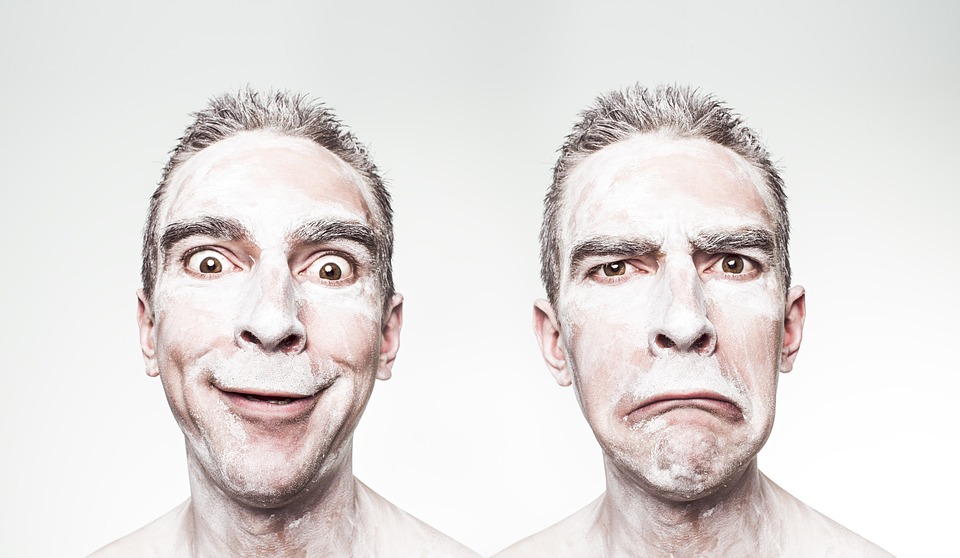

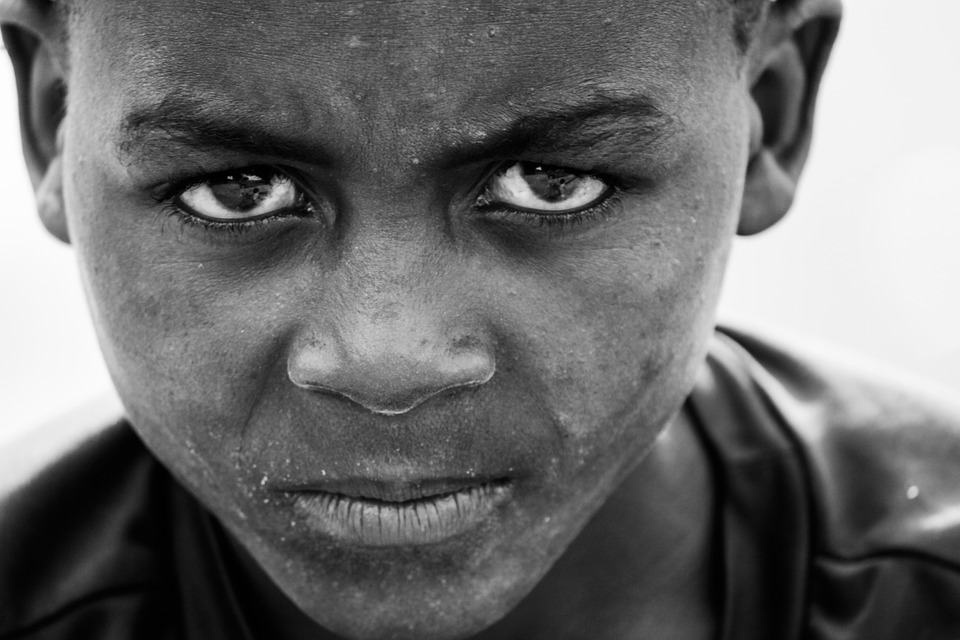

Soon Fd will work with videos. Be the first to know
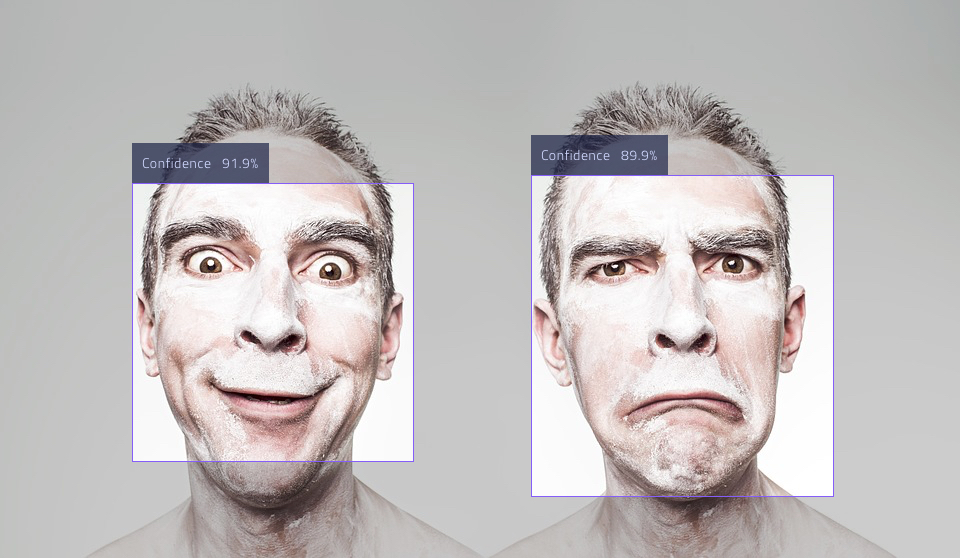
				See documentation

#example code
image = Image.from_file('example1.jpg')
result, status, error_message = face_detector.on_image(image)
See documentation

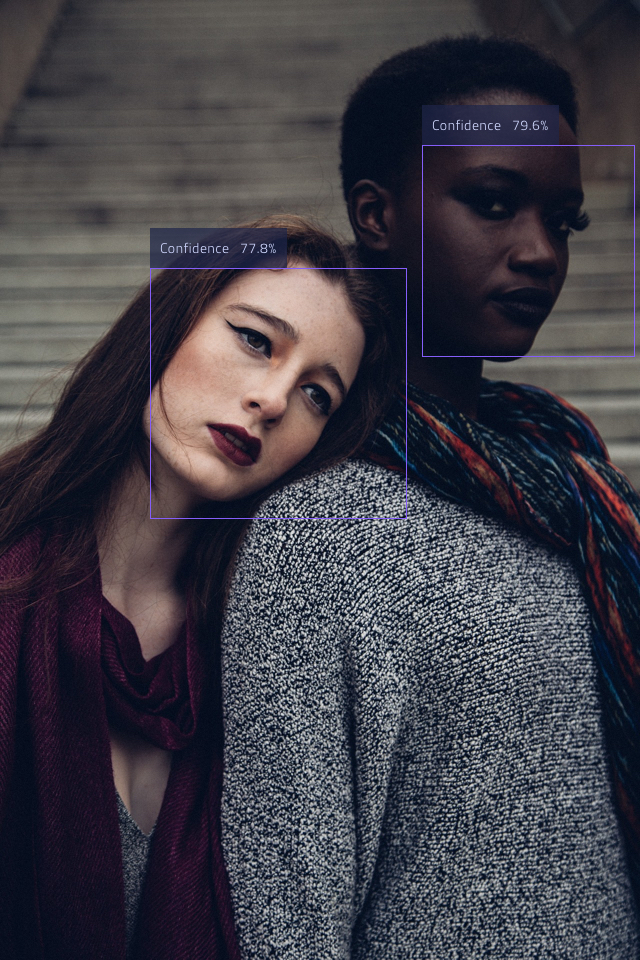
[
  {
    "h": 278,
    "score": "0.91907316",
    "w": 281,
    "y": 183,
    "x": 132
  },
  {
    "h": 321,
    "score": "0.89893955",
    "w": 301,
    "y": 175,
    "x": 531
  }
]

				See documentation

#example code
image = Image.from_file('example1.jpg')
result, status, error_message = face_detector.on_image(image)
See documentation
[
  {
    "h": 278,
    "score": "0.91907316",
    "w": 281,
    "y": 183,
    "x": 132
  },
  {
    "h": 321,
    "score": "0.89893955",
    "w": 301,
    "y": 175,
    "x": 531
  }
]
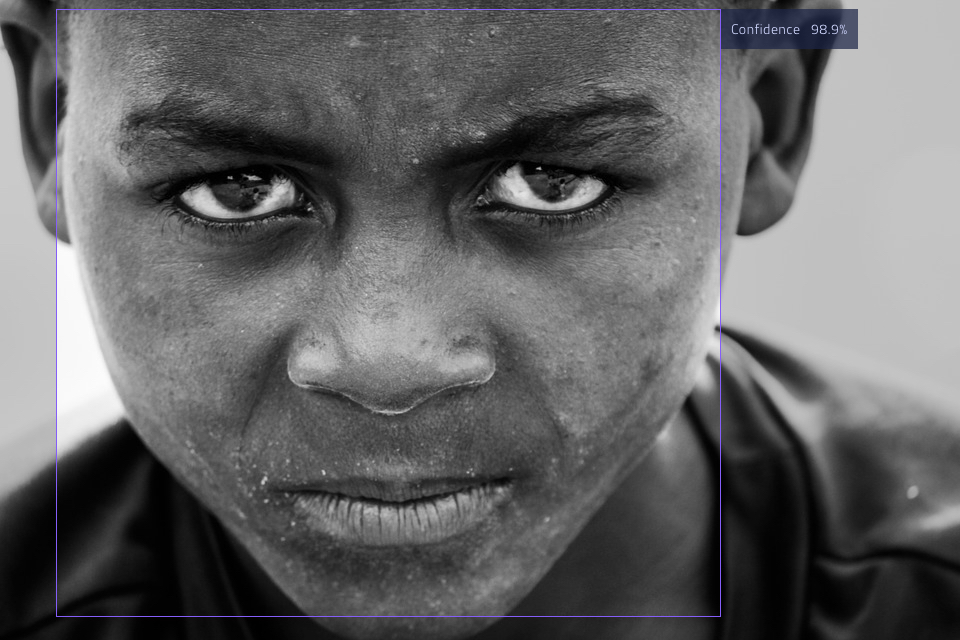
				See documentation

#example code
image = Image.from_file('example1.jpg')
result, status, error_message = face_detector.on_image(image)
See documentation
[
  {
    "h": 278,
    "score": "0.91907316",
    "w": 281,
    "y": 183,
    "x": 132
  },
  {
    "h": 321,
    "score": "0.89893955",
    "w": 301,
    "y": 175,
    "x": 531
  }
]
				See documentation

#example code
image = Image.from_file('example1.jpg')
result, status, error_message = face_detector.on_image(image)
See documentation
[
  {
    "h": 278,
    "score": "0.91907316",
    "w": 281,
    "y": 183,
    "x": 132
  },
  {
    "h": 321,
    "score": "0.89893955",
    "w": 301,
    "y": 175,
    "x": 531
  }
]
Choose an image to process:
Soon Er will work with videos. Be the first to know
					See documentation

#example code
image = Image.from_file('example1.jpg')
result, status, error_message = face_detector.on_image(image)
See documentation
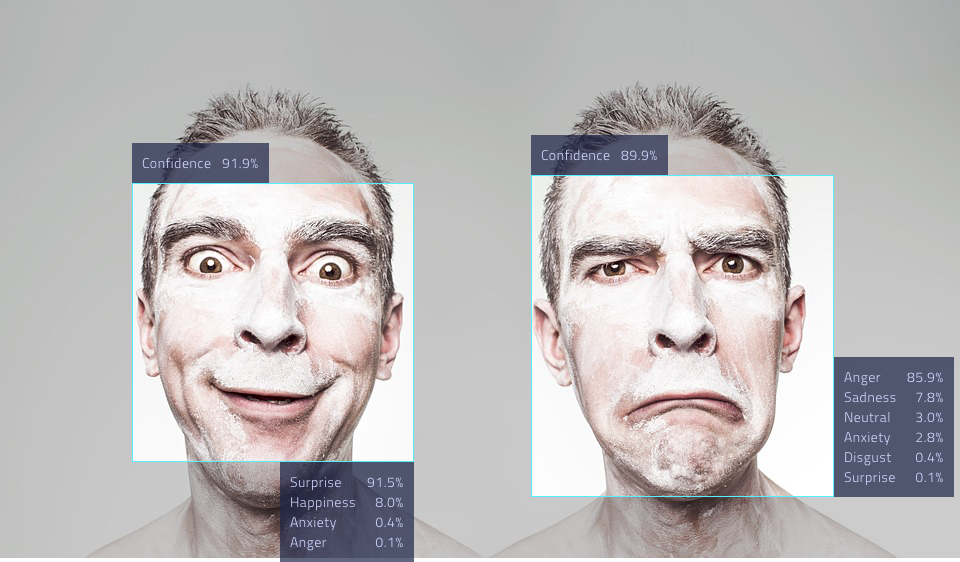
[
  {
    "h": 278,
    "emotions": [
      [0.9151450991630554, "Surprise"],
      [0.07965227961540222, "Happiness"],
      [0.004168621730059385, "Anxiety"],
      [0.0005960435955785215, "Anger"],
      [0.00035987311275675893, "Neutral"],
      [7.289356290129945e-05, "Sadness"],
      [5.118385161040351e-06, "Disgust"]
    ],
    "score": "0.91907316",
    "w": 281,
    "y": 183,
    "x": 132
  },
  {
    "h": 321,
    "emotions": [
      [0.8588149547576904, "Anger"],
      [0.0784924104809761, "Sadness"],
      [0.030477698892354965, "Neutral"],
      [0.026959676295518875, "Anxiety"],
      [0.004039310850203037, "Disgust"],
      [0.0010209475876763463, "Surprise"],
      [0.00019492502906359732, "Happiness"]
    ],
    "score": "0.89893955",
    "w": 301,
    "y": 175,
    "x": 531
  }
]
					See documentation

#example code
image = Image.from_file('example1.jpg')
result, status, error_message = face_detector.on_image(image)
See documentation
[
  {
    "h": 278,
    "emotions": [
      [0.9151450991630554, "Surprise"],
      [0.07965227961540222, "Happiness"],
      [0.004168621730059385, "Anxiety"],
      [0.0005960435955785215, "Anger"],
      [0.00035987311275675893, "Neutral"],
      [7.289356290129945e-05, "Sadness"],
      [5.118385161040351e-06, "Disgust"]
    ],
    "score": "0.91907316",
    "w": 281,
    "y": 183,
    "x": 132
  },
  {
    "h": 321,
    "emotions": [
      [0.8588149547576904, "Anger"],
      [0.0784924104809761, "Sadness"],
      [0.030477698892354965, "Neutral"],
      [0.026959676295518875, "Anxiety"],
      [0.004039310850203037, "Disgust"],
      [0.0010209475876763463, "Surprise"],
      [0.00019492502906359732, "Happiness"]
    ],
    "score": "0.89893955",
    "w": 301,
    "y": 175,
    "x": 531
  }
]
					See documentation

#example code
image = Image.from_file('example1.jpg')
result, status, error_message = face_detector.on_image(image)
See documentation
[
  {
    "h": 278,
    "emotions": [
      [0.9151450991630554, "Surprise"],
      [0.07965227961540222, "Happiness"],
      [0.004168621730059385, "Anxiety"],
      [0.0005960435955785215, "Anger"],
      [0.00035987311275675893, "Neutral"],
      [7.289356290129945e-05, "Sadness"],
      [5.118385161040351e-06, "Disgust"]
    ],
    "score": "0.91907316",
    "w": 281,
    "y": 183,
    "x": 132
  },
  {
    "h": 321,
    "emotions": [
      [0.8588149547576904, "Anger"],
      [0.0784924104809761, "Sadness"],
      [0.030477698892354965, "Neutral"],
      [0.026959676295518875, "Anxiety"],
      [0.004039310850203037, "Disgust"],
      [0.0010209475876763463, "Surprise"],
      [0.00019492502906359732, "Happiness"]
    ],
    "score": "0.89893955",
    "w": 301,
    "y": 175,
    "x": 531
  }
]
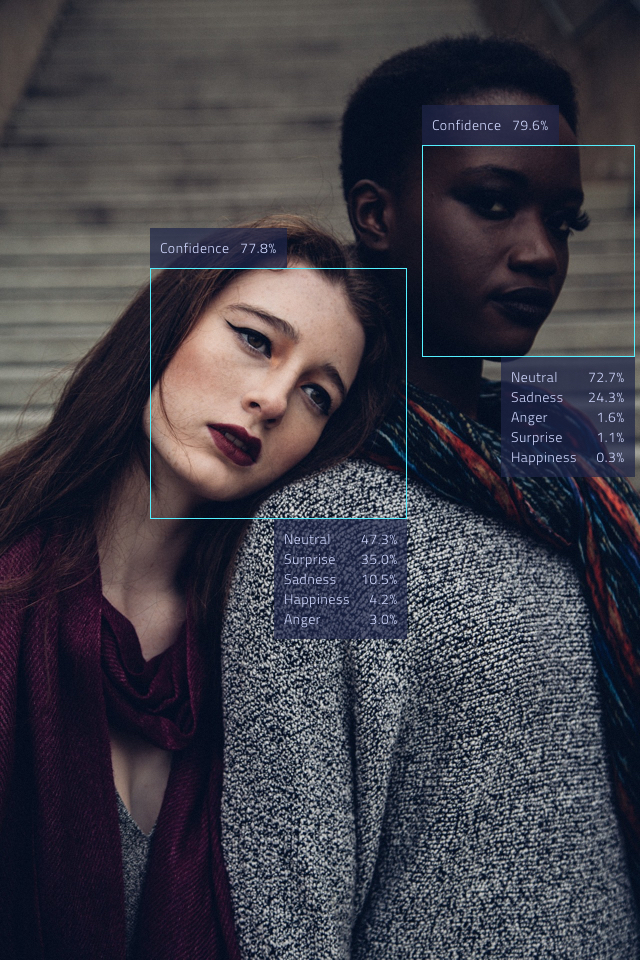
					See documentation

#example code
image = Image.from_file('example1.jpg')
result, status, error_message = face_detector.on_image(image)
See documentation
[
  {
    "h": 278,
    "emotions": [
      [0.9151450991630554, "Surprise"],
      [0.07965227961540222, "Happiness"],
      [0.004168621730059385, "Anxiety"],
      [0.0005960435955785215, "Anger"],
      [0.00035987311275675893, "Neutral"],
      [7.289356290129945e-05, "Sadness"],
      [5.118385161040351e-06, "Disgust"]
    ],
    "score": "0.91907316",
    "w": 281,
    "y": 183,
    "x": 132
  },
  {
    "h": 321,
    "emotions": [
      [0.8588149547576904, "Anger"],
      [0.0784924104809761, "Sadness"],
      [0.030477698892354965, "Neutral"],
      [0.026959676295518875, "Anxiety"],
      [0.004039310850203037, "Disgust"],
      [0.0010209475876763463, "Surprise"],
      [0.00019492502906359732, "Happiness"]
    ],
    "score": "0.89893955",
    "w": 301,
    "y": 175,
    "x": 531
  }
]